Loading game
Preparing player
Loading game
Ready to play
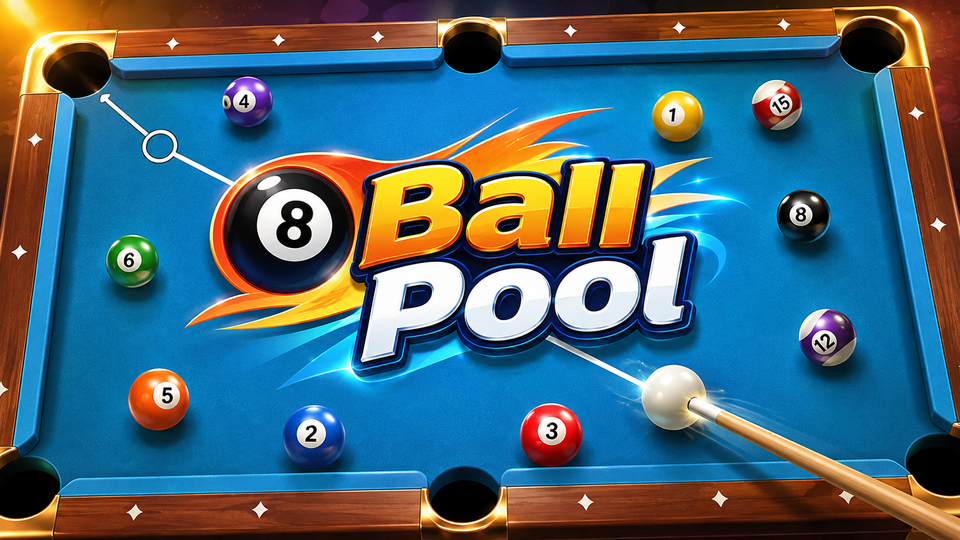
Play 8 Ball Pool online, aim precise shots, control power and cue-ball spin, challenge other players, earn Pool Coins, and improve your table strategy.
8 Ball Pool is an online billiards game developed by Miniclip where you compete against other players in pool matches built around accurate aiming, shot power, cue-ball control, and table positioning. In the main 1-on-1 mode, winning consistently requires more than pocketing the easiest available ball—you also need to plan where the cue ball will finish so your next shot remains playable.
8 Ball Pool adapts competitive pool into short digital matches. Players aim a cue, choose how much force to use, strike the cue ball, and attempt to pocket their assigned balls before finishing with the 8 ball.
The main game offers online 1-on-1 matches against other players, along with tournaments and additional modes. Winning matches contributes to progression and can earn Pool Coins, while the game also includes collectible and upgradable cues.
The basic controls are straightforward, but the strategy becomes deeper once you start adjusting shot strength and spin. A successful shot is more valuable when it also leaves the white ball at a useful angle for your next target.
Different tables and special modes can have their own rules, so Miniclip recommends checking the information attached to a table before playing.
The browser version uses the mouse for aiming, shot power, spin, and cue-ball placement.
Miniclip's current control guide confirms that the web version allows players to click and drag when adjusting trajectory, pull backward while holding the mouse button to set power, and release to shoot.
Accurate aiming begins with understanding the relationship between the cue ball, target ball, and pocket. A nearly straight shot is usually simpler to judge, while angled shots require you to contact the target ball from the correct side.
Power is equally important. Maximum force is not automatically better. A hard shot may pocket the target but send the cue ball across the table, into a pocket, or into a position with no useful follow-up shot.
Use enough force to complete the current shot while still considering where the cue ball will stop. Miniclip's control documentation specifically notes that pulling the cue farther increases shot strength.
Spin gives you additional control over the cue ball after impact. Rather than striking its center every time, you can select another contact point to change how it moves after hitting an object ball or rail.
Hitting above the center creates topspin, encouraging the cue ball to continue forward after contact. It can help when your next target lies farther along the same general direction.
Hitting below center applies backspin. This can pull the cue ball backward after impact and is useful when you want to prevent it from continuing toward a pocket or need a position behind its original contact point.
Left and right spin influence how the cue ball behaves, particularly when it interacts with a rail. Side spin can change rebound angles and help you reach positions that a center-ball shot would not create.
Spin is optional. For straightforward shots, striking near the center is easier to predict. Start using spin when you have a specific cue-ball position in mind rather than adding it automatically to every attempt.
If your opponent commits certain fouls, such as pocketing the cue ball, you can receive ball-in-hand and reposition the white ball before shooting. On the web version, you move it by holding the left mouse button, dragging it to the desired location, and releasing it.
Ball-in-hand is a major positional advantage. Do not automatically place the cue ball beside the easiest target. Look across the entire table first and find a position that can give you both a high-percentage pot and a good path toward another ball afterward.
8 Ball Pool includes progression beyond individual matches. The official web-game description states that players can level up and earn Pool Coins through wins. Coins are connected to the game's table and progression systems, while cues provide another layer of customization and development.
Some cues can also be upgraded. Miniclip identifies four key cue statistics: Force, Aim, Spin, and Time. Upgrading applicable cues can improve those statistics and award XP.
A stronger cue does not replace good shot selection. Better positioning, appropriate power, and avoiding scratches remain important even when your cue statistics improve.
Miniclip describes 1-on-1 as the main game mode. Players are matched against opponents and can choose among different tables with their own rules and rewards.
Tournaments provide another competitive format where you attempt to advance through multiple matches. Miniclip lists tournaments among the special modes available in 8 Ball Pool.
The game includes the ability to challenge friends rather than relying entirely on regular matchmaking.
8 Ball Pool also includes additional formats such as 9 Ball and other special modes. These can use rules that differ from standard 8-ball matches, so the same strategy does not apply identically everywhere.
Do not evaluate a shot only by whether the target ball can be pocketed. Identify your likely next target first, then choose power and spin that leave the cue ball with a useful angle toward it.
If a target is already close to a pocket, excessive power often creates unnecessary cue-ball movement. A controlled shot can complete the pot while keeping the white ball in a more predictable area.
Spin can change the cue ball's path significantly. Before combining different spin directions, become comfortable with center-ball shots, basic topspin, and basic backspin. This makes it easier to understand why the cue ball moved differently after each attempt.
After an opponent foul, look for more than an immediate easy pot. Ball-in-hand lets you choose the cue ball's position, so it can be used to open a sequence of shots or avoid leaving yourself blocked after the first ball.
Before using high power, follow the likely path of the white ball after contact. If that route leads toward a pocket, reduce power, adjust the angle, or use appropriate spin to change its movement.
If you enjoy aiming, angles, competitive sports, and precision-based shots in 8 Ball Pool, try these games available on YaloGames:
For gameplay most closely connected to judging angles and shot trajectories, start with Golf Puzzle or Golf Hit. For direct competitive sports matches, try Arcade Tennis or Basketball Stars.
8 Ball Pool is developed by Miniclip.
Yes. Online 1-on-1 competition is a main part of the game, and Miniclip also offers tournaments and options for playing with friends.
Use the mouse to adjust your aim, hold the left mouse button and pull backward to set the strength, then release the button to take the shot.
Spin modifies the cue ball's movement after it contacts another ball or a rail. Topspin moves it farther forward, backspin can pull it backward, and side spin alters lateral behavior and rebound angles.
Yes. Certain Victory Cues can be upgraded using cue pieces, improving statistics such as Force, Aim, Spin, and Time.
8 Ball Pool becomes much more strategic once you stop treating every turn as a single isolated shot. Aiming gets the target ball toward a pocket, but power and spin determine what happens next. By controlling the cue ball, reducing unnecessary scratches, using ball-in-hand carefully, and planning one or two shots ahead, you can build more consistent turns and compete more effectively across 1-on-1 matches and tournaments.
LIVE CHAT
No messages yet. Start the conversation.
Log in to join the chat.
Login