Loading game
Preparing player
Loading game
Ready to play
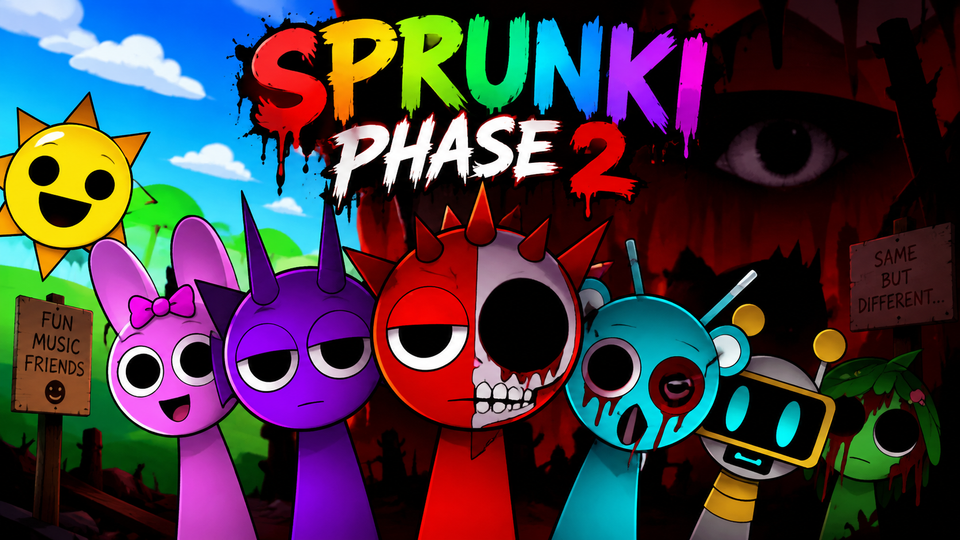
Sprunki Phase 2 is the horror mode of the original Sprunki mixer, where Black transforms the characters and you build dark beats, effects, melodies, and vocals.
Sprunki Phase 2 is the horror side of the original Sprunki music-mixing experience. You create music by placing Sprunki characters onto seven stage slots, with each performer contributing its own repeating beat, effect, melody, or vocal. Phase 2 changes the colorful presentation into a much darker scene, replacing the normal character designs and sounds with disturbing versions while keeping the same drag-and-drop music system.
It is useful to clarify that Phase 2 is not originally a separate sequel with levels or combat. In the original Sprunki created by NyankoBfLol, Phase 2 is also known as Horror Mode. It is triggered by placing Black, the final character, during Normal Mode. Community documentation for the original game identifies Phase 1 and Phase 2 as its two canonical in-game phases; many later numbered phases are fan-made expansions.
The core gameplay follows the Incredibox-style music mixer used throughout Sprunki. A row of character icons appears below the stage, while seven empty positions are available above. Dragging a character into an empty position activates that character's animation and sound loop.
You can combine several performers at once to create a layered track. One character might establish the rhythm, another may add an effect or melodic phrase, and another can provide a vocal layer. Because the loops synchronize automatically, the challenge is not keeping time manually. Instead, you experiment with which sounds fit together.
The original Sprunki roster contains 20 main characters. The major Phase 2 difference is that the horror versions replace their normal appearances and audio after the transition occurs.
The original gameplay is based primarily on mouse-driven drag-and-drop interaction rather than movement keys. Current ports may also provide mute, solo, reset, or removal buttons, but those interface details can vary between hosted versions.
Placing Black causes the game to transition away from the bright Normal Mode presentation. The screen briefly darkens before the background, stage characters, and overall atmosphere change into their horror versions. The sound set changes as well, so a combination that felt light in Normal Mode can produce a completely different result after the transition.
Black is therefore more than another sound option. In the original game, he functions as the trigger that switches the entire mixer into Horror Mode. Community documentation also notes that the existing performers are reset during this transition, allowing you to rebuild the composition using the Phase 2 versions.
The Sprunki cast can be understood through four broad musical roles: beats, effects, melodies, and vocals. Thinking in those categories makes it easier to build a balanced composition instead of adding characters randomly.
A beat gives the mix a rhythmic foundation. Characters associated with percussion or repeated rhythmic sounds are useful starting points because later layers have something consistent to sit on top of.
Effects can make the track feel fuller without necessarily taking over the entire arrangement. They work well between the rhythm and more noticeable melodic or vocal layers.
A melodic character often changes the identity of the mix more strongly than a background effect. Add one after establishing the rhythm so you can clearly hear how it changes the composition.
Vocals are usually easier to evaluate once the instrumental parts are already working together. If the track suddenly feels crowded, remove one background sound rather than immediately replacing the vocal.
Phase 2 is designed around contrast. The same basic idea of combining characters remains intact, but the audio becomes more unsettling and the visuals shift toward horror. That change means the best combination in Phase 1 is not necessarily the most interesting combination in Phase 2.
Try rebuilding familiar mixes after the transformation instead of simply copying the exact same lineup. The darker sound loops can interact very differently, and removing one layer may make another character much easier to hear.
Placing several new sounds simultaneously makes it difficult to identify which layer improved or weakened the track. Add one performer, listen through the loop, then make the next change.
Seven stage positions are available, but a good mix does not always need all seven. Leaving one or two positions empty can prevent the arrangement from becoming muddy.
Start with a beat, add a supporting effect, then introduce melody and vocals. This order makes it easier to understand what each new performer contributes.
Phase 2 changes the available sounds enough that a Normal Mode arrangement may no longer have the same balance. Treat the transformation as an opportunity to create a new mix rather than trying to reproduce the first one exactly.
Creating music is not only about adding layers. Removing one sound can make the remaining rhythm or melody clearer and may improve the track more than adding another performer.
If you want to compare Phase 2 with other Sprunki music mixes, these related games are also listed in the YaloGames library.
Sprunki Phase 2 is the Horror Mode of the original Sprunki music mixer. It keeps the drag-and-drop composition gameplay while changing the characters, sounds, and background into darker versions.
In the original Sprunki game, placing Black onto the stage triggers the transition from Normal Mode into Horror Mode.
The original Sprunki and its Phase 2 horror mode were created by NyankoBfLol. The original Scratch release dates to August 26, 2024.
The original game contains 20 main character icons and seven stage positions for active performers.
In the original Sprunki project, Phase 1 and Phase 2 are the two canonical in-game phases. Later numbered phases were created by the fan community.
Sprunki Phase 2 keeps the original music-building controls but changes the sound and mood completely. Start with a clear rhythm, introduce effects and melodies gradually, use vocals when the arrangement has enough space, and rebuild your mix after Black transforms the game into Horror Mode. The strongest combinations come from listening to how each loop fits with the others rather than simply filling every available stage slot.
LIVE CHAT
No messages yet. Start the conversation.
Log in to join the chat.
Login