Loading game
Preparing player
Loading game
Ready to play
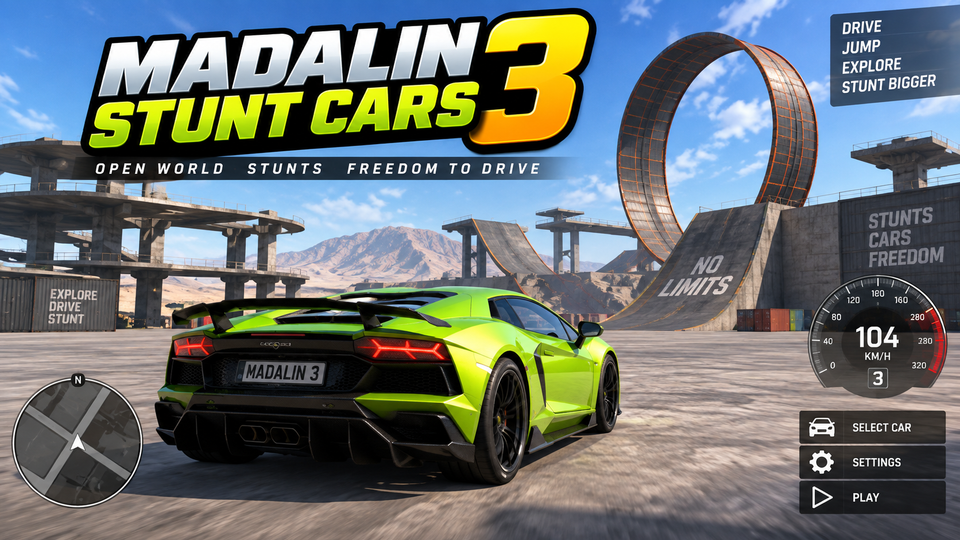
Madalin Stunt Cars 3 lets you drive 60+ cars across three stunt maps, drift, use nitro, hit huge ramps, and explore solo or in multiplayer.
Madalin Stunt Cars 3 is an open-world stunt-driving game developed by Madalin Games. Instead of following a fixed championship or completing mandatory missions, you choose a car and explore large 3D maps filled with ramps, loops, tunnels, open roads, and stunt structures. You can drive alone to practice or enter multiplayer rooms and share the maps with other drivers. The current official version lists more than 60 cars, three maps, and both single-player and multiplayer modes.
There is no single required objective controlling every session. You decide how to use the maps: practice drifting, build speed for a large ramp, experiment with loops, explore the environment, or race other players informally in multiplayer.
This freedom changes how you approach the game. A player interested in drifting can search for wide areas and long corners, while someone focused on jumps can use nitro and ramps to attempt larger launches. Multiplayer also makes it possible to organize your own races or stunt challenges with other drivers.
These controls are consistently documented across recent browser versions of Madalin Stunt Cars 3.
Nitro gives your car an additional burst of acceleration. It is especially useful when approaching a large ramp because extra speed can increase the distance of the jump.
That does not mean every ramp requires maximum boost. If the landing area is narrow, excessive speed may send the car beyond the useful section or make the landing harder to control. Look beyond the ramp before pressing F and decide how much speed the stunt actually needs.
Nitro is also useful during informal multiplayer races when you need to accelerate out of a slower section or close the distance to another driver.
The Spacebar activates the e-brake, making it useful for starting or tightening a slide. Approach a wide corner with enough speed, begin steering, then use the handbrake briefly to make the rear of the car rotate.
Once the slide begins, release the handbrake and make smaller steering corrections. Holding the e-brake for too long can remove too much speed or rotate the car farther than intended.
If the car starts sliding uncontrollably at high speed, reducing the throttle can help it regain traction before you make another steering correction.
The current official version of Madalin Stunt Cars 3 includes three maps. They give you open environments where you can move freely rather than following a fixed sequence of checkpoints.
Large ramps and loops reward speed, while wider surfaces provide better places to experiment with drifting. Exploring a map in Singleplayer first can help you identify useful stunt spots before joining other drivers online.
Madalin Games currently lists over 60 cars in Madalin Stunt Cars 3. The large selection lets you switch vehicles when you want a different appearance or simply want to experiment with another car around the stunt maps.
When changing cars, spend a few moments learning how the vehicle feels before attempting your largest jump. Even when cars share broadly similar controls, your sense of steering, braking distance, and stunt timing improves when you understand the vehicle you are currently driving.
Singleplayer gives you the map without the pressure of other drivers. It is useful for learning ramp approaches, practicing handbrake slides, finding shortcuts, and testing how much nitro a jump requires.
Multiplayer lets you drive with other players in shared rooms. Documented versions allow players to join public sessions or create rooms, making it possible to organize informal drag races, drifting contests, or stunt sessions.
When several cars are using the same ramp, leave some distance before accelerating toward it. Contact immediately before takeoff can change your direction and ruin a jump that would otherwise have been clean.
Find the largest ramps, loops, and useful drift areas before entering a busy multiplayer room. Knowing where a stunt leads makes it easier to prepare your speed and direction.
A ramp amplifies the direction you already have. If the car reaches the edge while turning sideways, the landing becomes much harder to predict. Align the vehicle first, then accelerate toward the takeoff.
Use the e-brake to start rotation, then control the rest of the slide with steering and throttle. Staying on the handbrake can remove the momentum needed to continue the drift.
Press C when another perspective makes a ramp, landing area, or multiplayer situation easier to judge. One camera view may be useful for driving quickly, while another can help with stunt positioning.
If the car becomes stuck after a crash or lands somewhere difficult to leave, use R to respawn. That gets you back to driving faster than repeatedly trying to force the vehicle out of an unusable position.
If you enjoy open driving, drifting, stunt ramps, and experimenting with vehicle control, try these related games on YaloGames. The internal URLs below are present in the YaloGames sitemap.
Madalin Games developed Madalin Stunt Cars 3. The official site currently identifies the game as part of its driving and multiplayer catalog.
The current official version lists more than 60 cars.
Madalin Games currently lists three maps in Madalin Stunt Cars 3.
Yes. The current official version includes both single-player and multiplayer modes.
Press F to activate the nitro boost. Use it when extra acceleration helps with a large jump or fast section.
Madalin Stunt Cars 3 gives you an open driving playground rather than a fixed sequence of races. Learn the three maps, use the handbrake to control drifts, save nitro for sections where additional speed matters, and line up the car before major jumps. With more than 60 cars and both solo and multiplayer driving, the challenge comes from deciding what stunt, route, drift, or race you want to attempt next.
LIVE CHAT
No messages yet. Start the conversation.
Log in to join the chat.
Login