Loading game
Preparing player
Loading game
Ready to play
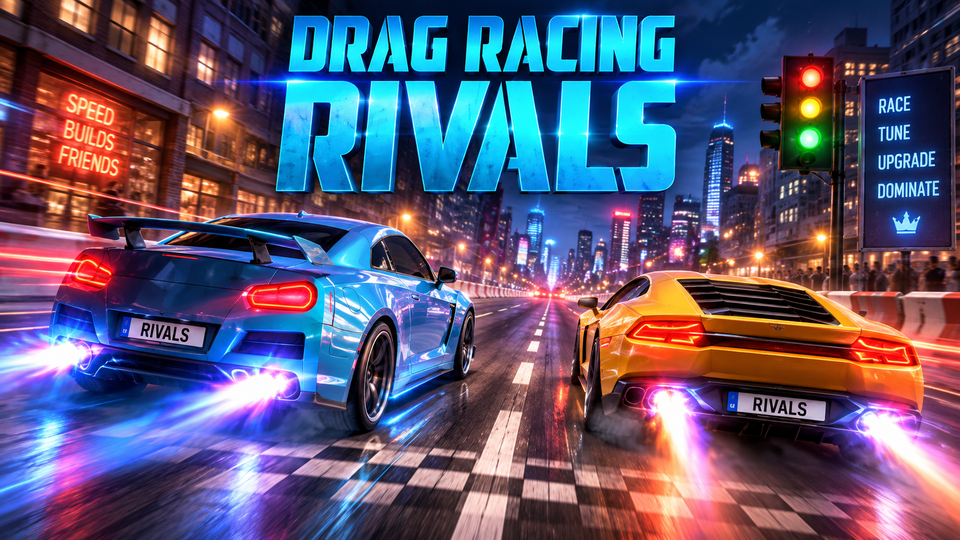
Drag Racing Rivals is a street drag racer where perfect shifts, nitro timing, car upgrades, 17 vehicles, and 25 rivals decide each race.
Drag Racing Rivals is a street drag-racing game where two cars line up for short head-to-head races and acceleration matters more than steering. You control the throttle, change gears at the right RPM, use nitro for an extra burst of speed, and earn cash by defeating rival racers. That money can then be used to improve your current vehicle or move toward faster cars as the competition becomes tougher. ([y8.com](https://www.y8.com/games/drag_racing_rivals))
The game is built around timing rather than cornering. Shifting while the indicator is in the green zone helps preserve acceleration, while an early or late gear change costs speed. Official Nintendo information for Drag Racing Rivals lists 25 rivals and 17 cars, giving the progression a clear sequence of tougher opponents and faster vehicles. ([nintendo.com](https://www.nintendo.com/en-gb/Games/Nintendo-Switch-download-software/Drag-Racing-Rivals-1840332.html))
Every race is a straight-line duel. Your car and an opponent begin side by side, and your goal is simply to cross the finish line first. Since you do not need to steer through conventional corners, the important decisions involve launching cleanly, keeping the engine in a useful RPM range, changing gears efficiently, and choosing when to use nitro.
Winning races provides cash and progression. The game presents you as an outsider working through underground street-racing rivals and clans, with new cars and upgrades becoming part of the climb toward stronger opposition. ([nintendo.com](https://www.nintendo.com/en-ca/store/products/drag-racing-rivals-switch/))
Multiple published versions emphasize the same central rule: shifts are most effective when the indicator reaches the green zone, and nitro should be used deliberately rather than ignored. ([razer.com](https://deals.razer.com/games/drag-racing-rivals))
The browser game uses controls for the accelerator or pedal, shifting gears up and down, and interacting with the game interface. Some browser hosts map these actions differently, so the exact key assignment can depend on the build being used. Y8 lists the core actions as pedal control, shift gear up, and shift gear down, while other browser versions also expose nitro as a separate action. ([y8.com](https://www.y8.com/games/drag_racing_rivals))
The tachometer or shift indicator is the most important display during a race. Letting the engine build speed is necessary, but remaining in one gear for too long can waste acceleration. Shifting too early can also move the car into the next gear before the current one has delivered its strongest performance.
The green area gives you a visual target. Instead of pressing the shift control as soon as RPM begins rising, wait until the indicator reaches that optimal window. The closer your timing is to the useful zone across every gear, the less speed you give away to your rival. ([h5gamestreet.com](https://www.h5gamestreet.com/appgames/drag_racing_rivals.html))
Nitro provides temporary extra speed, so timing it becomes another part of race management. Activating it immediately is not always necessary, especially if your launch and early shifts have already created a lead.
Instead, watch the distance between both cars. If the opponent remains close after several gears, nitro can help create separation. If you fall slightly behind because of a weaker shift, the boost may help recover some of that lost ground.
The key is to combine nitro with good shifting. Extra power cannot completely compensate for repeatedly missing the green zone.
Official Nintendo listings describe 17 cars and 25 rival racers. The progression revolves around defeating those rivals, earning cash, obtaining additional cars, and improving vehicle performance. ([nintendo.com](https://www.nintendo.com/en-ca/store/products/drag-racing-rivals-switch/))
This means difficulty does not come from more complicated race tracks. Instead, opponents become harder to outrun, making inefficient shifts or poor vehicle performance increasingly noticeable.
If you begin losing races despite consistently shifting in the correct zone, the game itself recommends upgrading your car. That creates a simple progression loop: race, earn money, improve the vehicle, and return against stronger competition. ([razer.com](https://deals.razer.com/games/drag-racing-rivals))
Browser descriptions confirm that earned rewards can be invested in vehicle improvements. Some current versions describe upgrades affecting areas such as engine performance, wheels or grip, vehicle weight, and nitro. ([pacogames.com](https://www.pacogames.com/driving/drag-racing-rivals))
Upgrades matter most when your driving is already reasonably consistent. If every shift happens outside the optimal range, additional performance may not solve the main problem. Improve your timing first, then use upgrades to close the gap against faster opponents.
During a gear change, your own tachometer provides more useful information than the rival car. Shift according to the green zone first, then check who is ahead after the change.
Seeing another car move ahead can make you rush the next gear. An early shift can reduce acceleration further. Stay with the timing indicated by your own car instead of copying the opponent's apparent pace.
A clean sequence of shifts gives nitro a stronger foundation. Use the boost when the car is already accelerating well rather than treating it as a replacement for correct gear timing.
If your green-zone shifts are consistent but a later rival still pulls away, that is a stronger sign that your vehicle needs improvement. Spend race earnings where additional performance can make the difference.
Moving to another car can change how quickly RPM rises. Watch the indicator carefully during the first races instead of assuming the shift timing will feel identical to your previous vehicle.
If you enjoy fast cars, vehicle upgrades, and timing-focused racing, try these related games on YaloGames. The internal URLs below are confirmed in the YaloGames sitemap.
For another car game with progression and driving technique, start with Drift Hunters. If you mainly want direct competition against other racers, Mad Racers is a useful next choice.
Your objective is to defeat rival street racers in straight-line drag races by launching well, shifting gears efficiently, using nitro, and improving your cars as the competition becomes harder. ([nintendo.com](https://www.nintendo.com/en-gb/Games/Nintendo-Switch-download-software/Drag-Racing-Rivals-1840332.html))
Watch the shift indicator and change gears when it reaches the green zone. Published instructions for the game identify this as the optimal shift range. ([razer.com](https://deals.razer.com/games/drag-racing-rivals))
Official Nintendo information lists 17 cars. ([nintendo.com](https://www.nintendo.com/en-ca/store/products/drag-racing-rivals-switch/))
The official feature list includes 25 challenging rivals. ([nintendo.com](https://www.nintendo.com/en-ca/store/products/drag-racing-rivals-switch/))
Browser game listings credit Inlogic Software as the developer, while the Nintendo Switch edition was published by No Gravity Games. ([pacogames.com](https://www.pacogames.com/driving/drag-racing-rivals)) ([nintendo.com](https://www.nintendo.com/en-gb/Games/Nintendo-Switch-download-software/Drag-Racing-Rivals-1840332.html))
Drag Racing Rivals turns each race into a sequence of small timing decisions. A clean launch gives you the start you need, green-zone shifts preserve acceleration, nitro can strengthen a close run, and vehicle upgrades help when later opponents become too fast for your current setup. Keep your attention on the RPM indicator, improve the car when necessary, and work through the 25 rivals one race at a time.
LIVE CHAT
No messages yet. Start the conversation.
Log in to join the chat.
Login